


SeatGeek – Tickets to Events
4.511.88K Reviews
App Specs
- Version
- 2026.43.0
- Updated On
- License
- Free
- Downloads
- 5,000,000+
- Developer
- SeatGeek
- Categories
- Events
- Platform
- Android, iOS
Screenshots
 Analysis by AppCompare
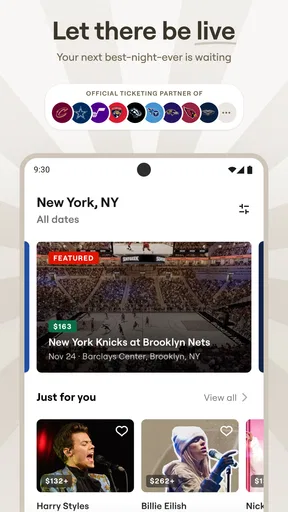
I tend to think about ticket apps when a plan is still just a possibility: a game someone mentioned, a concert worth checking, or a comedy night that could work if the seats and total cost make sense. SeatGeek is built for that browsing stage as well as the actual purchase, bringing event discovery and ticket buying together for sports, concerts, theater, festivals, and comedy. I find it most useful when I want to compare options before committing, rather than when I already know exactly where I must buy.
What the free app does—and what still costs money
The app is free to download, which makes it easy to explore events without paying just to get started. That free access should not be confused with free admission: tickets are purchases, and the cost of attending depends on the event and the tickets you choose. I would treat the app as a place to research and buy, not as a promise that any particular event will fit a budget.
That distinction matters when planning with friends. I might find a promising event, then compare the available seats and decide whether the outing is worth the overall spend before anyone makes plans around it. The app’s free entry point is convenient for browsing, but the value of a ticket still comes down to the specific event, seat, and price shown during the purchase process.
Useful for weighing an event before committing
The main practical value is having different kinds of live events in one place. Instead of starting over in a separate app for a concert, a sports fixture, and a theater show, I can use one service to look across those categories. That is especially handy when the goal is an evening out rather than a particular performer or team: I can explore what is happening and narrow the choice around date, location, and budget.
SeatGeek is an Events app from SeatGeek, and its long presence in the category gives it the feel of a dedicated ticket platform rather than a general-purpose calendar. It was released in 2013 and has reached more than five million installs. Its average rating is 4.1, based on around 41,000 ratings, with roughly 11,000 written reviews. Those figures suggest that many people use it, but they are not a guarantee that every event or transaction will suit an individual buyer.
For a realistic example, imagine that a friend proposes a concert on a weeknight, but nobody has decided whether to go. I can search the event, see what ticket options are available, and discuss the choices before the group settles on a plan. That helps avoid the familiar back-and-forth of one person finding an event while someone else separately tries to work out whether seats are still available. I would still check the final order details carefully before paying, especially when the group is comparing different sections or ticket options.
How it compares with buying directly or browsing elsewhere
Compared with going straight to an event venue or organizer, a multi-event ticket app is most useful when I am still exploring. It can make it easier to browse several types of events in one session, while a direct seller may be the more natural choice when I already know the event and want to handle the purchase through its official channel. I would compare the event details and final checkout information rather than assume one route is automatically better.
Worth Reading Before You Choose

Flipboard Shows What News Apps Must Do Beyond the Feed

Switching to Android Auto Means Rethinking Your Driving Routine

Google Calendar Makes a Crowded Week Easier to Manage

Ludo King Makes the Most of the Minutes Between Plans

Baby Panda World Brings Quick Play to Modern Phones, but Its Game Library Feels Busy

ESPN’s Live Game View Makes Following Close Games Easier
Compared with general search results, SeatGeek offers a more focused place to look for tickets. That focus is valuable when I want to move from discovery toward choosing seats, but it does not remove the need to read the details. Search results can help me find an event quickly; the ticket app is more relevant once I want to examine the available options. If I am only checking whether a show exists, a quick web search may be faster. If I am weighing seats and planning an actual purchase, the app has a clearer purpose.
One useful habit is to decide what matters most before browsing: the event date, the section, or the amount I am prepared to spend. Without that boundary, it is easy to keep comparing tickets without getting closer to a decision. For a group, I would agree on a spending limit first, then share a small number of realistic choices instead of sending everyone into an open-ended search. The app can help organize the search, but the group still needs to agree on what counts as a good value.
Where the trade-offs show up
Ticket shopping can involve changing availability and different seat choices, so a result that looks appealing during browsing should not be treated as secured until the purchase is complete. I recommend checking the event, date, seat selection, and order total at checkout rather than relying on what you remember seeing earlier. That is a sensible step with any ticket seller, and it is particularly useful when you are comparing options quickly or coordinating with other people.
The app is also less compelling if you have no interest in browsing and already have a preferred buying route. Someone who only attends events occasionally and knows exactly which venue or organizer to use may find it simpler to go directly there. Likewise, if you are not ready to buy and only want broad entertainment news, a ticket-focused app may feel narrower than a general events or local discovery service.
Another trade-off is that a single app cannot make every event equally convenient to evaluate. A theater seat, a festival ticket, and a sports ticket each raise different questions about location, timing, and what the purchase includes. I would use SeatGeek to find and compare options, then slow down at the event details instead of assuming that the same quick decision process works for every kind of outing.
For anyone concerned about whether the app itself costs anything, the download is free. The ticket purchase is separate, so I would focus on the amount shown for the exact selection before confirming. That is the clearest way to judge value: free access helps with browsing, but the ticket is only worthwhile if the event and seat justify the amount you are about to spend.
Who is likely to get the most from it
I can see SeatGeek fitting people who attend live events often, people who like to compare options before making plans, and groups deciding between several kinds of outings. Its range—from sports and concerts to theater, festivals, and comedy—makes it useful when a household or group of friends does not all follow the same scene. The app is also a reasonable starting point for someone who wants to browse before choosing a specific event.
It is less necessary for someone who rarely buys tickets, always uses one venue’s own sales channel, or simply wants a free source of event listings without any intention of purchasing. In those cases, the convenience of a dedicated ticket app may not outweigh the extra place to check. I would also avoid treating an in-app comparison as a substitute for confirming the final ticket details; the last review before purchase is still the buyer’s responsibility.
SeatGeek is rated for Everyone, and the current version is 2025.12.041612, with Android support beginning at version 10. I would consider those details when deciding whether the app suits the device and people who may use it, while keeping the practical question in view: will you actually browse or buy tickets often enough to benefit from having it installed?
My own rule would be to use it when I am weighing several live-event possibilities or need a ticket-focused place to begin, then compare the final terms and total before paying. If I already know the event and have a trusted direct route, I would check that option too. That keeps the app’s convenience in perspective without assuming that one way of buying is always the best value.
Getting Started with SeatGeek
First things first, downloading and setting up SeatGeek was a breeze. I just hopped onto the Play Store (or App Store if you’re on iOS) and it was good to go in a few taps. The interface? Super user-friendly. It’s got this clean, intuitive design that even your tech-challenged uncle could navigate without a hitch.
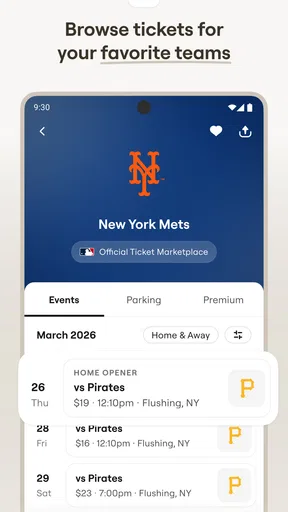
Once inside, I was immediately drawn to the search functionality. Whether you’re hunting for tickets to a concert, a sports game, or even a Broadway show, SeatGeek has you covered. I tried searching for a few local events, and the results were spot-on, neatly organized by date and location.
The Cool Features
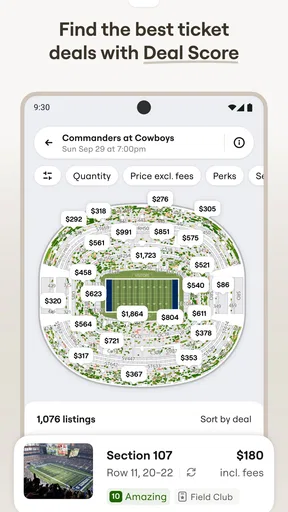
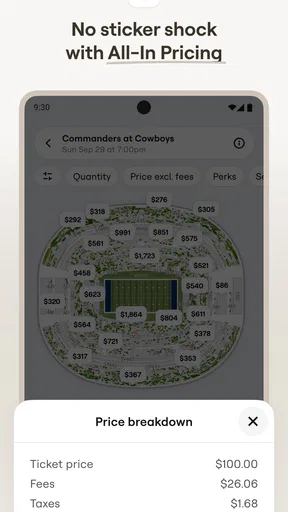
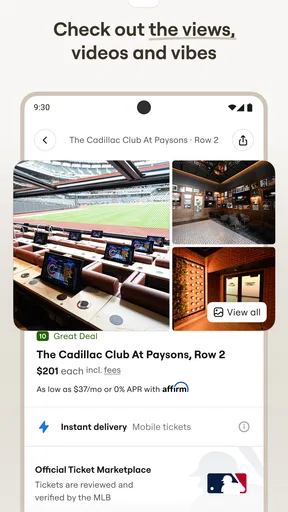
One feature that really stands out is the interactive seating map. You know how sometimes you buy a ticket and end up with a view blocked by a pillar or some other architectural nightmare? Well, not here! The map lets you preview your view, giving you an idea of what you’re signing up for. Just tap on a section, and boom – instant view preview. It’s like having a little sneak peek before the big day.
I also appreciated the “Deal Score” feature. It essentially rates ticket prices so you can spot a good deal at a glance. If you’re anything like me and love a bargain, this is a game-changer. I found myself comparing prices and feeling a bit like a savvy shopper at a flash sale.
What’s the Experience Like?
Booking tickets through SeatGeek is as smooth as butter. I picked an event, selected my seats, and within minutes, the tickets were sitting pretty in my digital wallet. No fuss, no muss. Plus, they send you a neat little reminder as the event date approaches, which is perfect for those of us who are a bit forgetful.
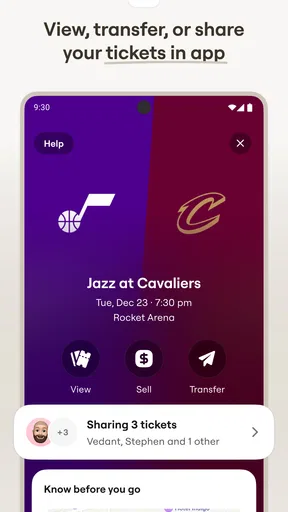
And let’s talk about the perks of having everything in one place. I mean, who doesn’t love the ability to manage all your tickets from your phone? It’s super convenient, especially when you’re juggling a busy schedule.
Final Thoughts
All in all, SeatGeek is a must-have for anyone who loves attending live events. It’s simple, efficient, and packed with features that make finding and buying tickets a breeze. The app’s reliability and the wealth of information it provides really enhance the ticket-buying experience.
So, whether you’re planning a night out with friends or catching your favorite band on tour, give SeatGeek a whirl. It might just become your go-to for all things tickets. Happy event hunting!
Pros
- User-friendly interface for easy navigation.
- Wide variety of events available for purchase.
- Interactive seating charts enhance selection.
- Price alerts for budget-friendly tickets.
- Secure and reliable payment options.
Cons
- Service fees can increase total cost.
- Occasional delay in ticket delivery.
- Limited customer service options.
- In-app ads can be intrusive.
- No offline ticket access available.
FAQs for SeatGeek – Tickets to Events
What is SeatGeek and how does it work?
SeatGeek is a mobile app that helps users find and purchase tickets for various events, including concerts, sports games, and theater shows. It aggregates listings from multiple ticket sellers, allowing you to compare prices and find the best deals. The app also provides interactive seating charts and personalized event recommendations based on your preferences.
Is SeatGeek a reliable platform for purchasing tickets?
Yes, SeatGeek is considered a reliable platform. It guarantees your tickets will be valid for entry or your money back, thanks to its Buyer Guarantee. The app partners with numerous reputable ticket sellers, and its customer service is available to assist with any issues. Always make sure to check seller ratings and reviews for added assurance.
Are there any additional fees when buying tickets on SeatGeek?
Yes, SeatGeek charges service fees on top of the ticket price. These fees cover operational costs and help ensure a secure transaction process. The total fee amount is displayed before you complete your purchase, so you can review the final cost before proceeding. Keep this in mind when budgeting for your purchase.
Can I sell my tickets on SeatGeek if I can’t attend an event?
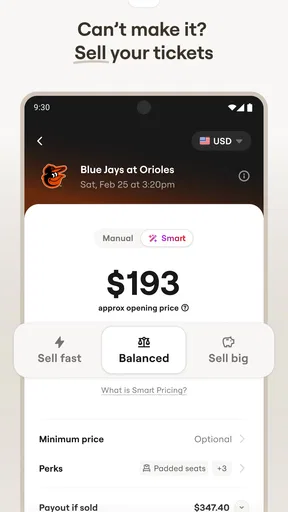
Absolutely, SeatGeek allows users to sell their tickets through the app. You can list your tickets for sale by setting your desired price, and SeatGeek will handle the transaction once a buyer is found. The platform provides a straightforward process, ensuring that both sellers and buyers have a secure experience.
Does SeatGeek offer mobile ticketing, and how does it work?
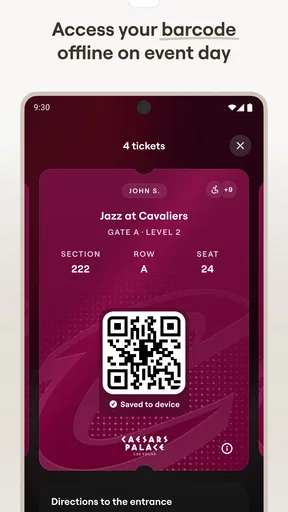
Yes, SeatGeek supports mobile ticketing for many events. Once you purchase a ticket, you can access it through the app, which can be scanned directly from your phone at the event venue. This eliminates the need for paper tickets and provides a convenient and eco-friendly way to attend events.


